It’s not a secret that college life, and education in general, is moving toward a digital world. For many, notes, exams and lectures are all transitioning from pen and paper to stylus and iPad. When I first made the switch from my typical five-subject notebook to my Apple device empire, I was searching for the perfect note-taking application.
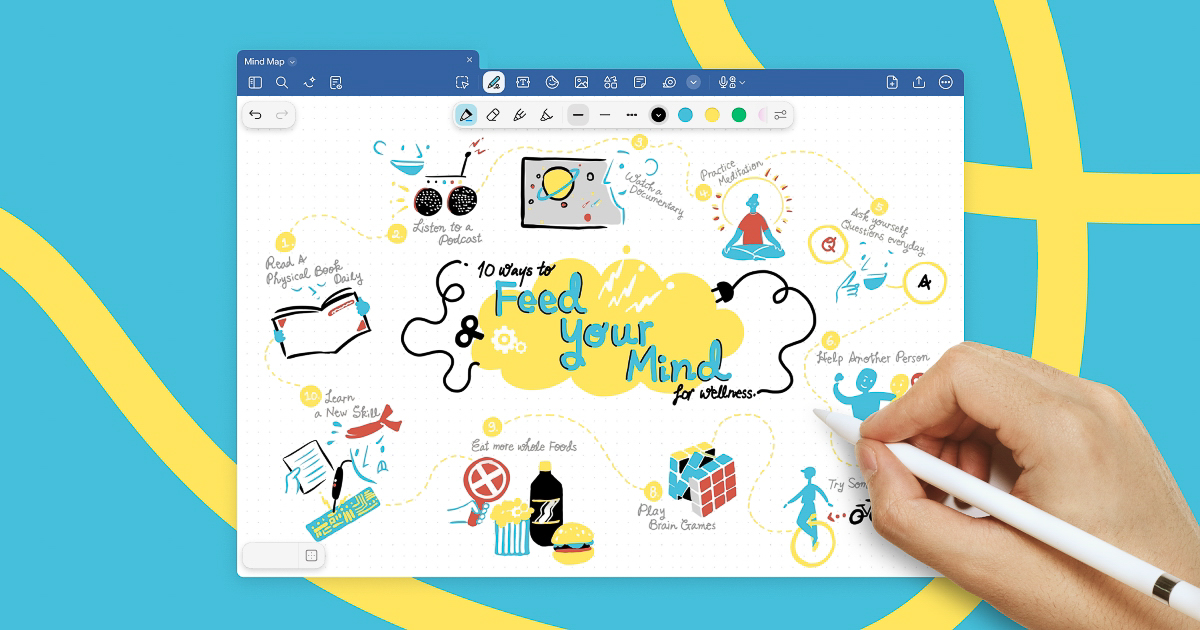
Goodnotes is my note-taking home. It is a note-taking application fit for all Apple, Android and Microsoft devices. It encourages potential customers to “use the flexibility of voice, text or Goodnotes’ renowned digital handwriting to capture any thought, in a digital notebook, Whiteboard or a Text Document,” according to the Goodnotes website.
Although Goodnotes can be downloaded for free from any app store, it contains small in-app purchases. If more than three notebooks are created, the user must pay for a premium subscription. There are easy ways to cheat the system, though. For example, I downloaded only one notebook and made different sections for each of my classes in the notebook’s outline. The premium features allow for the unlimited notes, unlimited audio time and artificial intelligence capabilities. However, it doesn’t seem very necessary because I have not seen a premium pop-up since the time I accidentally created too many notebooks.
In my notebook, I can handwrite my notes with my stylus pen, type notes on my computer, import images and export my notes for download. Goodnotes comes with free benefits that truly enhance educational practices, like various note-taking abilities to improve memory retention.
Goodnotes is available to the casual user, but it is especially beneficial for students.
The application can be downloaded on any device and synced to a private cloud so that a user can view their notes at any time, no matter which device is near them. I personally find this helpful on days when my iPad dies during class and I need to switch to transcribing lectures on my computer.
Another positive of Goodnotes is that the application also allows recordings, so not only is it possible to transcribe lectures across multiple devices, but it’s also possible to record a lecture.
The pen tool has multiple stroke levels, so users can decide the thickness of their writing depending on how zoomed in they prefer to view the page. The user can also choose which color brush they would like to use based on an entire color wheel, so notes can be organized with colors according to the meaning of each note.
I was nervous to make the switch from paper to digital because I genuinely believe that handwriting notes leads to better test grades. Having the ability to handwrite notes through a digital landscape helps support me through the digital transformation, but it also keeps my traditional values at heart.
Goodnotes has been the perfect note-taking application during the first month of my new classes this semester. It’s also a plus that my backpack is a lot lighter without a big paper notebook sitting inside and paper notes tearing off and crumbling at the bottom.